
FREE LOOKBOOK

How 10 E‑Commerce Brands Use Personalization to Stand Out

3D Shopping

3D collection
3D Shopping

How to Create a 3D Catalog from Scratch: A Step-by-Step Guide

Previously, creating 3D models was often restricted to the design, animation, and gaming sectors because it required specialized skills and expensive software. Only a few industries knew how to create a 3D catalog or could afford it. Thankfully, recent technological advancements have made 3D modeling tools more accessible and affordable. As a result, other sectors also began exploring the creation of 3D models. Companies from various industries can now create 3D catalogs and models for everything. The question now is, how do you create a compelling 3D catalog from scratch? In this comprehensive article, we’ll outline a step-by-step guide on how to create a 3D catalog. By the end, you’ll have enough knowledge to build your virtual library. Shall we begin? What Is a 3D Product Catalog? A 3D product catalog is a promotional tool that uses 3D models, animations, and Augmented Reality to improve the buying experience. 3D product catalogs help users understand products better, enabling them to make informed purchasing decisions. They show a product’s actual size and functionality. How Do 3D Product Catalogs Work? Online shopping in its more conventional form can often feel restrictive and limiting. Customers often struggle to envision how a product can seamlessly fit into and enhance their daily routines. Static images fail to capture a product in its entirety.  3D product catalogs go beyond these limitations by introducing 3D product models. This new technology is changing the way consumers shop online. It makes the experience more engaging and educational, ultimately increasing revenue for your business. Benefits of Going 3D with Your Product Catalog Let’s discuss the benefits of this innovative technology for businesses and consumers. Then, we’ll detail the steps on how to create a 3D catalog.  1. Enhanced Customer Experience This is one good reason businesses should learn how to create a 3D catalog. With 3D catalogs, shoppers can virtually examine a product before buying it. They can view the product from various angles, zoom in on specific details, and customize it.  This level of product visualization enhances the shopping experience and builds trust in the brand. Integrating advanced features like an AI chatbot or live chat can further improve customer interactions and support, ensuring a more engaging and trustworthy experience. 2. Increased Conversions 3D catalogs reduce buyers’ uncertainty. It provides a personalized journey that guides them through the buying process.  For example, buyers can virtually “try on” clothes or interact with products. This increases the likelihood of conversion. A study shows that Shopify merchants who implement 3D commerce saw an average 94% increase in conversions. 3. Improved Customer Engagement  Standing out from the competition requires effort and strategy. 3D catalogs provide a unique perspective on customer engagement. They offer a convenient avenue for consumers to explore products at their own pace. This increases brand awareness and website traffic. It also enhances the potential for video monetization. Integrating interactive videos within the 3D catalog lets you create additional revenue streams. It encourages longer browsing sessions and maximizes customer engagement.  4. Cost-Effectiveness 3D catalogs can significantly reduce the need for traditional photoshoots and physical samples. They offer a cost-effective way to showcase products in multiple variations. They provide real-life experiences that often surpass traditional photography.  5. Personalized Upselling Interactions with 3D catalogs provide useful intent data. Businesses can leverage this data to recommend personalized products or accessories. This results in increased trust and loyalty, thereby boosting conversions. 6. Reduced Returns Returns are a pain point for retailers. 3D catalogs allows customers to virtually assess the fit, look, and feel of the products they purchase. This leads to fewer impulse purchases and fewer returns. This translates to a more apparent bottom line for businesses. How to Create a 3D Catalog in a Few Steps In summary, creating a 3D product catalog requires 3D models of your products. It requires you to set up a virtual space where customers can interact with them.  Let’s look at some practical considerations and necessary steps to get started. 1. Create 3D Product Models To understand how to create a 3D catalog, start by creating high-quality 3D models of your products.  You can easily adapt these models to create a detailed 3D catalog. It is easy if you already use 3D computer-aided design (CAD) files in product development. However, there are also several methods to create a 3D catalog if you don’t have existing 3D models: The scanner accurately measures minute details. Since 3D scanners are light-sensitive, using them in a well-lit indoor environment is preferable. They help prevent data distortion from ambient light. The designer doesn’t need tangible items and can “infer” the object’s appearance from a few reference photographs. Most professional 3D photogrammetry takes place in a controlled studio setting. This method allows you to take pictures of large items in the real world, unlike laser 3D scanning. Also, you don’t need the item in question to make the 3D model. All you need is a set of already-existing photos of the product.  2. Develop a virtual space Once you have your 3D product models in place, the next step is to develop a virtual environment where customers can interact with them.  Here are some popular approaches to consider: For instance, you can use the AR app to virtually place a pair of sunglasses on your face to see how they fit. You can also use it to see how a new lamp would look on your end table. AR adds a layer of interactivity and informative elements to the online shopping experience. Imagine yourself in a virtual clothing store, examining clothes racks. VR allows you to explore a piece of furniture virtually to better understand its size and scale. VR provides a highly immersive product experience, but it requires a VR headset for access. This makes it a capital-intensive option. 3. Choose the Right Product Configurator Selecting a suitable 3D product configurator requires careful consideration of several factors.  To begin with, you need to analyze your business needs and product complexity. The configurator should be adept at
Read More >
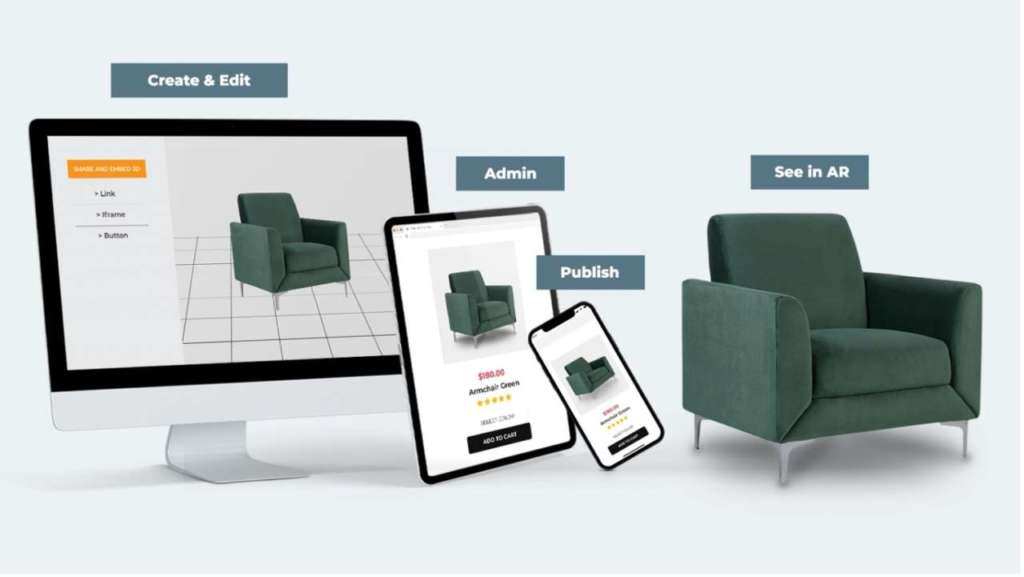
Digital asset management tool
3D Shopping

Boosting Marketing Impact with Digital Asset Management

You’re on the brink of launching the most groundbreaking marketing campaign ever. Your strategy? Bulletproof. Your creativity? Off the charts. There’s just one snag: the show-stopping shot of your product bathing in the perfect sunset light is MIA, lost in the chaotic abyss of poorly named files and errant folders. This digital disorder is where many brilliant marketing ideas go to die prematurely. Enter digital asset management (DAM) tools. These are the quintessential saviors for any marketer tired of playing digital archaeologist. Wondering how? Stick around as we dive into how a DAM system can revolutionize your workflow, maximize your resources, and transform great marketing into the stuff of legend. What is DAM and Why Do You Need It? Digital asset management (DAM) isn’t just a fancy term for a glorified digital closet where your brand’s assets gather dust. It’s much more than that. It’s a meticulously organized, highly efficient library where every asset, from the humble JPEG to the high-stakes promotional video, is cataloged, controlled, and ready for action at a moment’s notice. “But we already use shared folders and drives,” you might argue, clinging to your primitive tools. But can your shared drives cleverly organize content with metadata tagging, safeguard versions, offer precise role-based access, or enable seamless in-app collaboration? Didn’t think so. Let’s peel back the layers of this digital enigma and discover why you’re just one DAM away from marketing storage nirvana. The DAM Difference With DAM, you’re not just organizing files—you’re supercharging your entire marketing engine. Here’s how: Speeding Up Processes Remember the agonizing waits as files loaded at a glacial pace or the epic quests to unearth that elusive logo? Today’s DAMs sport search capabilities and metadata functionalities that transform these frustrating quests into mere seconds of work. They allow for swift access to the exact version of the asset you need, rocketing your campaign’s time to market into hyperdrive. Reducing Redundancy Duplication is not just wasteful. It’s also exasperating. DAM slashes through the redundancy riddle by keeping a single, up-to-date version of each asset. This means no more multiple versions of the same file floating around, causing confusion and clogging up your digital space. Instead, your assets are streamlined and simplified, just like your processes. Enforcing Consistency Nothing screams “amateur hour” louder than inconsistent branding. It’s an unforgivable faux pas in the marketing world. DAM keeps your brand decked out in its “finest gear” consistently across all channels by ensuring that everyone—from the marketing intern to the creative director—pulls from the same set of up-to-date, approved assets.  This vigilance shields your marketing materials from outdated logos or off-palette colors sneaking into your campaign, thereby preserving the sanctity of your brand’s identity.  Strengthening Security With sophisticated permission settings and access controls, DAM protects your assets from digital pillagers and internal mishaps alike. It gives you the assurance that your brand’s assets are not just organized and accessible but also secure under lock, key, and digital moat. In addition to traditional security measures, such as access controls, it’s essential to safeguard your digital assets from threats like email phishing attacks. Implementing Domain-based Message Authentication, Reporting, and Conformance (DMARC) protocols alongside other email authentication methods can provide an extra layer of defense against unauthorized access to sensitive materials. DMARC record helps ensure that emails claiming to be from your domain are legitimate, reducing the risk of phishing attempts that could compromise your assets via email. Supercharging Collaboration Before the advent of DAM, “collaboration” was just a fancy word for email overload, misplaced files, and nerve-wracking chaos. DAM ushers in a new dawn where creative minds can converge effortlessly in a digital space that fosters creativity while maintaining order.  Here, designers, marketers, e-commerce managers, and content creators can collectively breathe life into a campaign without stepping on each other’s digital toes. Feedback loops are tighter, approval processes are streamlined, and creative synergy is no longer just a pipe dream but a daily reality. Facilitating Scalability Most DAM tools are built to grow as you do. They’re like the elastic waistband of your marketing toolkit, expanding comfortably to accommodate your burgeoning asset library.  This scalability means your creative cache can balloon with new campaigns without a hint of a system meltdown. So whether you’re taking over new turf, beefing up your product lineup, or turbocharging your promotional firestorm, rely on DAM to be the stretchy, indestructible asset fortress you need to succeed. Making the Most Out of Your Digital Asset Management Investment Now that you’re sold on the benefits of DAM, let’s talk about how you can put it into action effectively and squeeze every bit of value out of this miraculous tool. Digital Asset Management. Let’s start with a Cleanup Like a cluttered closet, your digital asset collection needs a purge. Before integrating a DAM system, comb through your files. Toss the outdated, the unused, and the off-brand into the digital recycle bin. This not only streamlines the migration but also ensures that your DAM system isn’t just a prettier version of the mess you used to have. Define Your Tagging System Once your DAM system is humming with neatly purged and polished assets, don’t drop the ball on tagging. This is what makes that whisper-away retrieval possible.  Settle on a standardized tagging system that everyone on the team can follow, from campaign names and content types to the date of creation and usage rights. Effective tagging turns a sprawling archive into a finely tuned instrument of marketing might. Advocate for Usage Champion the use of your DAM system across all departments. Sometimes, the biggest hurdle to maximizing a new tool is old habits. Highlight the quick wins and major successes from the DAM system in team meetings or via internal newsletters. When people hear about reduced search times, faster project completions, and easier collaboration, they’ll turn to the DAM system as their first port of call. Train, Train, and Train Some More The best DAM system in the world won’t do you much good if

Read More >
Benefits of 3D catalogs
3D Shopping

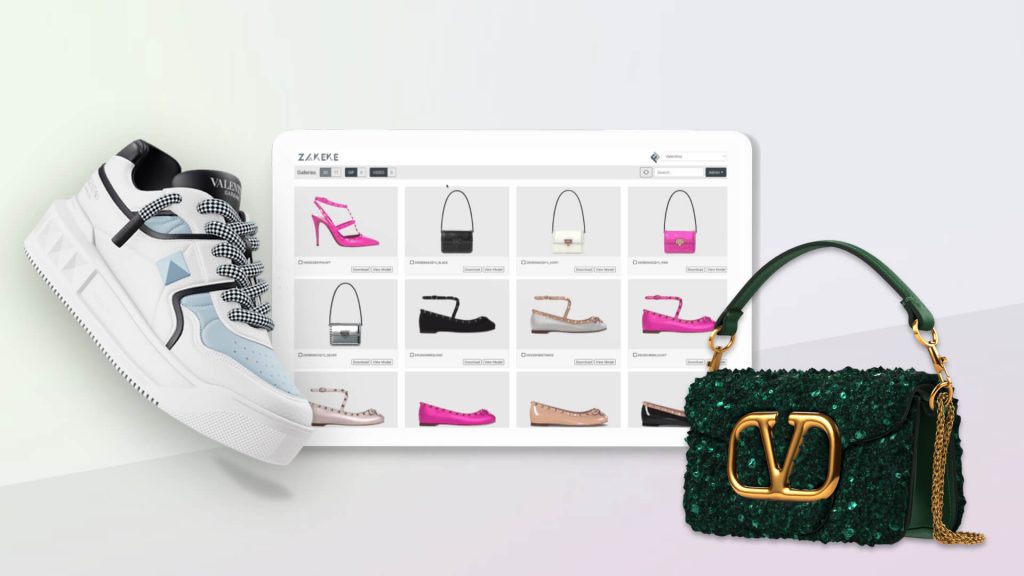
10 Advantages of Creating 3D Catalogs for E-Commerce

E-commerce businesses have a wealth of tools these days to better serve customers, and attract new ones. One of the most innovative pieces of tooling that you may not be trying yet is the 3D catalog, which can easily be incorporated into ecommerce websites. 3D experienceis revolutionizing the e-commerce world and it’s definitely time to embrace the 3D revolution! Learn about the ins and outs of the 3D catalog and the numerous benefits you can expect to enjoy when you dive into this new shopping frontier. Understanding the 3D Clothing Catalog A 3D catalog transforms static images and standard product descriptions to revolutionize the shopping experience. With 3D modeling, customers can interact with digital products listings in unprecedented ways. They can zoom in to inspect textures and seams and view items from all perspectives, creating an immersive and engaging experience. By offering a preview of their products in 3D, businesses provide consumers with a detailed understanding of each item, bridging the gap between online and in-store shopping — which is critical as retailers’ in-person capabilities shrink with the skyrocketing increase in storefront rent. 10 Benefits of Going 3D With Your Catalog Let’s talk about 10 advantages you may get the chance to enjoy if you develop a 3D catalog. Allows Customers to See How Products Will Look on Them  Think of 3D catalogs as being like online changing rooms, better than any ordinary website experience they would have. After all, when a customer goes to a regular website, they’ll maybe just get some basic two-dimensional photos of models, with no chance to customize or see themselves with the products. However, when a prospective customer goes to a website with a 3D catalog, they’ll be able to see products from every conceivable angle, with the chance to zoom in and out. They’ll also be able to input their measurements and personal characteristics like skin tone to see exactly how an item will look on them. This level of product visualization is critical to building a great customer experience in the digital age.  Valuable Conversion Tool for Ecommerce Businesses can invest enormous amounts in SEO or paid advertising to get prospective customers to their websites. But that’s only half the battle of earning a person’s business. You still have to get them to buy.  A 3D catalog is a terrific way to help guide someone through the buyer’s journey. Instead of just getting information from a retailer or brand’s website, they’ll get a personalized experience that can translate to a higher likelihood that they will do business. New Way for Customers to Engage It hasn’t always been easy in recent years for clothing businesses to attract customers. A business has to do a lot to earn a sale, whether it’s in person or online. Creating a 3D catalog provides another way to reach customers in good times or bad. These catalogs give customers an avenue to find a clothing retailer or brand and engage with it as they’re comfortable. Engagement can mean different things, too. It will be easier to get a customer through the virtual door the first time by having a virtual catalog. It might increase the time they spend on an ecommerce website. And it can also boost the likelihood of a customer visiting a physical location of a store, if they can first virtually try on a few items without feeling pressure. More Sustainability 3D catalogs boost sustainability in e-commerce by significantly reducing product returns and eliminating waste from unsold stock and samples. This approach allows customers to explore products in detail virtually, leading to more informed purchasing decisions and fewer returns. Additionally, by negating the need for physical samples, 3D catalogs prevent the accumulation of unsold goods, aligning with eco-friendly practices by minimizing waste. This sustainable model not only benefits the environment but also enhances operational efficiency for businesses, marking a significant step forward in responsible e-commerce. Easily Shareable Resource Every business would love to get word-of-mouth referrals. When people hear about a company or a solution from someone they trust, they’re more likely to take action and become lasting customers. With 3D catalogs, customers have a chance to instantly create referrals for businesses. At the push of a button, customers can share a link to a 3D catalog. Customers can quickly and effectively help get the word out about the awesome garments that are available through these resources. In enabling these types of catalogs, businesses create shareable resources for their customers. And businesses effectively create a means of generating referrals at scale. It’s a valuable and efficient means of advertising. No More Samples & Photoshoots 3D catalogs are transforming the way products are presented, markedly decreasing the reliance on physical samples and conventional photoshoots. These digital solutions enable businesses to showcase hundreds of product variants in 3D, offering a lifelike, interactive experience that traditional photography simply can’t match. This innovation not only significantly reduces costs associated with producing and photographing samples but also accelerates the go-to-market timeline, allowing companies to efficiently present an extensive range of products to potential buyers with ease. As a result, 3D catalogs are becoming an indispensable tool for businesses looking to enhance their product visibility and appeal. Easier Upsells and More Return Business We believe that customization is the secret to retention.   After all, Forbes noted that 46% of customers will purchase more when served personalized experiences.  It’s easy for businesses to grab intent data from 3D catalog interactions. When they know what items certain visitors are interested in, they can recommend related garments or items that are actually suited for them — thus increasing that all-important personalization. Creating personalized experiences can build trust and loyalty. A customer will know that every effort is being made to give them a unique and tailored (no pun intended) visit to their virtual store. They’ll be treated as a unique individual rather than someone being given a one-size-fits-all approach. Fewer Returns Returns plague retailers, with the National Retail Federation noting that for every $1 billion

Read More >
3D online shopping experience
3D Shopping

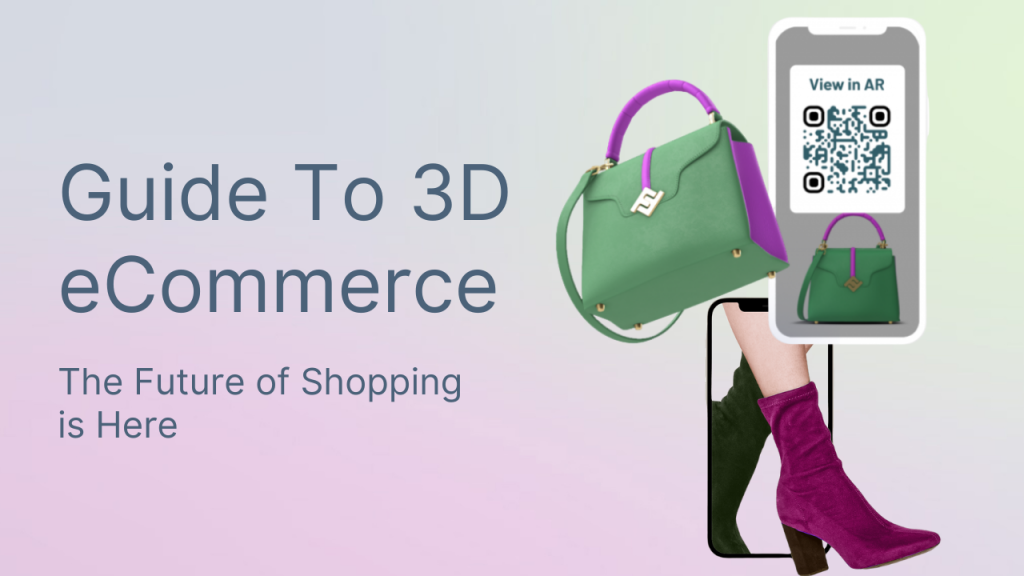
Guide To 3D eCommerce: The Future of Shopping is Here

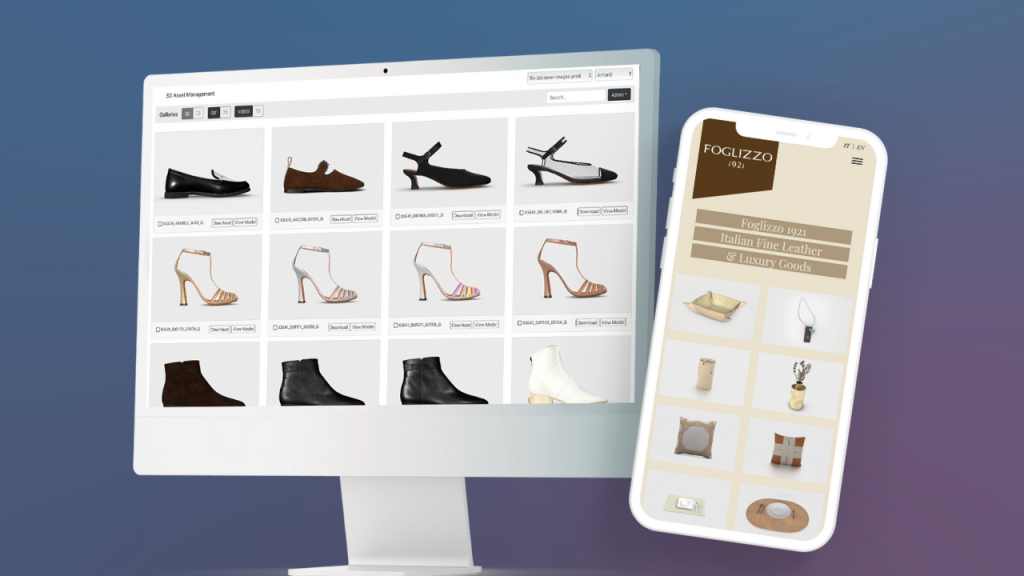
The way of shopping is changing. From in-store purchases, we moved on to online purchases. The rapid development of new technologies affects the way customers shop. Customers prefer to shop online, within a few seconds. However, the online experience must be high quality: customers are looking for immersive and innovative shopping experiences that are no less than the in-store experience. This is where a range of new technologies come into play, allowing merchants to enhance their store’s experience: just think about 3D visualization. Welcome to the world of 3D eCommerce, now an established trend that all merchants should embrace to keep up and stand out. Let’s dive deep into the topic. What is 3D Commerce? The Definition 3D eCommerce is the new way of shopping. Here 3D models integrate with augmented and virtual reality experiences to show the customer a graphic and interactive representation of the product. It is a pleasant consequence of visual commerce. Most online buyers base their choices on graphical representation. 3D technology allows customers to get in touch with the product, exactly as it happens in-store. It offers a new way to interact with products. Customers can view them from any angle, rotate them, zoom in and so on. They can do everything they would do in real life. It is a bridge between in-store experience and online shopping. Customer engagement and interactivity are not the only aspects positively influenced by 3D models. It has been shown it increases eCommerce conversion rates and sales. 3D is the (current) future of eCommerce. Before there was shopping. Then came the Internet and online shopping. Now is the time for 3D eCommerce. Moving from simple product photos to high-quality three-dimensional models is a trend retailers cannot ignore. This is especially true if market research reveals that consumers prefer to interact with 3D models, even through augmented reality technology. A study by Shopify reveals conversion rates increase by up to 250% on product pages with 3D models and AR technology. The Importance of 3D Models: Challenges & How-To The first step to embracing the world of 3D eCommerce? Naturally, having 3D models! And how does one create 3D models of their products? How to turn 2D images into photorealistic 3D models? There are three ways to create 3D images: According to Deloitte, many retailers have found a surprise benefit to investing in 3D models of their products: significant cost reductions for product catalogs and prototyping, compared to using physical models and photography. Accordingly, there is a raising demand in remote 3D artists positions. For making high-quality 3D models, you need to allocate financial and human resources if you want to manage the entire process internally. However, you may not have all the required skills and resources. That’s where a SaaS company comes into play. In this case, a tool like Zakeke can assist you. We offer a 3D Digital Asset Manager, a centralized platform for easy creation, storage, management, and collaboration on 3D assets. Businesses can transform 2D images into 3D, manage large 3D catalogs, and make bulk changes efficiently. It also supports creating 3D GIFs and videos for marketing, seamlessly integrating assets across channels, all with no need for IT expertise. Making 3D accessible for all, what more could you ask for? Why is 3D eCommerce Important? In a recent report, Deloitte wrote: “The pandemic rapidly changed our behavior toward online channels, and the shifts were evident. While many companies were challenged to survive in the short-term, the crisis also presented an opportunity; bold companies that invested ambitiously and timely in their online business were likely to emerge as market leaders. Companies that invested courageously and timely in pivoting their businesses toward the behavioral changes were able to capture market share and emerge as market leaders post-pandemic.” By 2026, multi-generational consumer groups will demand a 3D retail experience. The spread of the Internet and smartphones with Augmented Reality capabilities will lead customers to completely abandon traditional shopping in future. This is one of the reasons why you should choose 3D eCommerce today. What is the first thing you do when you walk into a store? Looking at a product. It is the same in online stores. Humans are oriented by sight. 90% of the information the brain processes is visual. The higher the quality of the image, the higher the conversion rate and customer satisfaction will be. Whatever business you’re carried out, the fixed point is always the customer with his wishes and needs. According to Marketing Land, internet users expect to find more and more images in the product sheet of an e-commerce. If until three years ago people were settled for an average of three product images, today the number is eight. This means that people are increasingly looking for eye contact with what they want to buy online. Eye contact is even more important online, as the senses of touch, taste and smell are absent. Visual content works best for remembering. People tend to remember 80% of what they see or do versus only 10% of what they hear and 20% of what they read. 67% of consumers say high-quality visual content is more important than product description or customer ratings. What Are The Benefits of 3D Models for eCommerce? What are the key benefits of 3D online shopping? 3D Shopping Experience: All The Applications What can you really do with 3D commerce? Here are some ideas: And these are just a few ideas, are you ready to embrace the 3D revolution? Best Product Categories for 3D eCommerce 3D and AR shopping is not just seeing an object in your room but being able to view every single detail. For example, the size can be the most important point for a piece of furniture, while the brightness of the color for a dress. Credit – Deloitte Although some products are perfect for 3D eCommerce, it can fit any product category: Home goods and furniture: 3D and AR are becoming a standard in the furniture industry and customers

Read More >
3D mobile advertising
3D Shopping

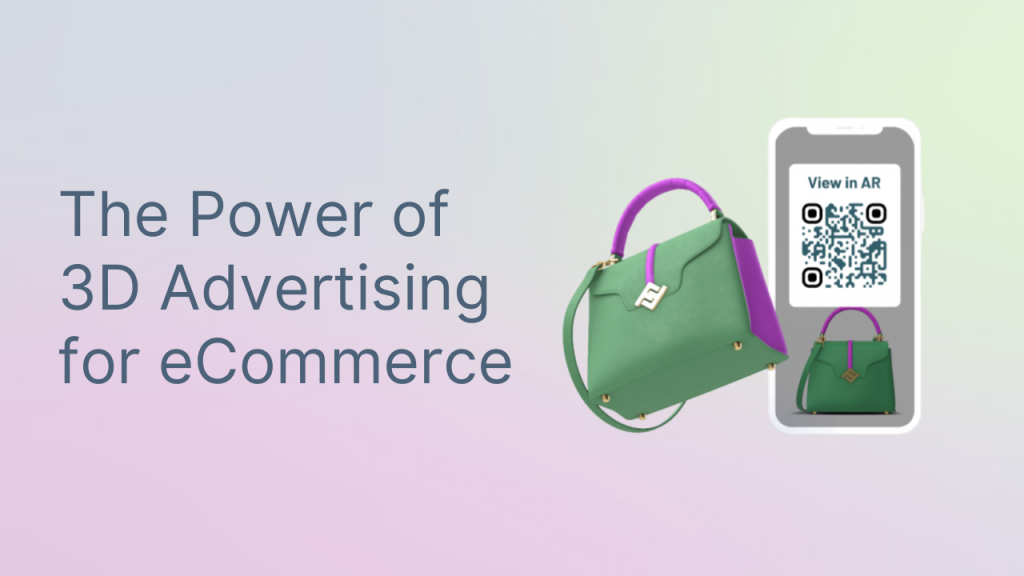
How To Boost Your E-Commerce Marketing Results with 3D Advertising

In the fast-paced world of e-commerce, staying ahead of the competition is crucial. And one innovative marketing tool that’s been making waves is 3D advertising. But what exactly is 3D advertising, and what can it do for your e-commerce business? Let’s delve into the topic and discover why 3D advertisement is the new horizon of e-commerce marketing. What Is 3D Advertising? Imagine being able to showcase your products in a way that’s so lifelike, your customers feel like they’re holding them in their hands. That’s the magic of 3D visualization and 3D advertising – they bring products to life in a way that traditional 2D visuals just can’t match.  In other words, 2D is somewhat flat, boring, and uninspiring whereas 3D is captivating, engaging, and utterly immersive. It’s about creating an experience that draws customers in and keeps them coming back for more.  Benefits of using 3D in Advertising The use of 3D in advertising has given brands a powerful tool to stand out in a crowded marketplace. But beyond just grabbing attention, the benefits of using 3D in advertising are wide-ranging. Captivating Visual Experience When you incorporate 3D advertising, you are offering your audience a visual treat that is hard to resist. The depth and realism of 3D visuals instantly grab attention and create a memorable impression. Sometimes you can even add interactivity to 3D assets, allowing your customers to rotate, zoom, and interact with it. This level of engagement is unparalleled and creates a lasting impact on the consumer’s memory. Enhanced Brand Recognition By utilizing 3D advertising, your brand can stand out in a crowded digital space. The unique and immersive nature of 3D visuals sets your brand apart and leaves a lasting impression on your audience. It’s a powerful tool for increasing brand recognition and establishing a strong visual identity in the minds of your customers. Improved Consumer Engagement Traditional advertising can struggle to capture and maintain consumer attention. Whether it’s a 3D product demonstration or an interactive 3D ad campaign, the immersive nature of 3D content, coupled with conversational commerce elements, ensures higher consumer engagement and interaction with your brand.  Furthermore, leveraging conversational commerce along with 3D advertising offers an interactive and engaging experience that keeps consumers hooked.  Interactive Storytelling Potential With 3D advertising, you have the opportunity to tell a compelling and immersive story about your products or brand. You can transport your audience into a virtual world where they can experience your products in a way that feels personal and engaging. This storytelling potential adds depth and emotion to your marketing efforts, forging a stronger connection with your target audience. Better Product Visualization One of the biggest advantages of 3D advertising is the ability to showcase products from every angle, with a 360° product view, providing a comprehensive view that goes beyond traditional product photography. This level of product visualization allows consumers to make more informed purchasing decisions and reduces product returns due to inaccurate representations of products. Competitive Edge in Marketing Adopting 3D advertising gives your brand a competitive edge by offering an immersive and visually compelling experience that sets you apart from your competitors. It positions your brand as innovative, forward-thinking, and committed to providing an exceptional consumer experience. 3D Advertising Examples: Companies Using 3D Adv in Their Campaigns Now that you know how 3D advertising can be a game-changer, let’s take a look at some companies that use it in their digital marketing campaigns. Rebecca Minkoff Globally recognized women’s fashion and accessories brand, Rebecca Minkoff has been all about 3D images and Augmented Reality since late 2019. What’s cool is that they’re using this tech wizardry to let you try out their designer goodies before you decide to splurge on them. It lets you check out how that designer purse or pair of sunnies would look on you before hitting that “Add to Cart” button, and honestly, it’s like having your own personal fashion show right on your phone. IKEA Next on the list is IKEA, the OG furniture giant that’s been acing the 3D and AR game since back in 2017. They’ve had their AR app, IKEA Place, up and running for a while now, letting you virtually plop 3D models of their furniture into your humble abode before you commit to buying. No more guessing if that new couch will fit perfectly in your living room – you can actually see it in action before making the call. Garten und Freizeit Garten und Freizeit, the online haven for outdoor furniture, were in a pickle trying to sell their large and in-charge products with just basic 2D images. But they turned the tables by embracing 3D visualization tech, and what do you know? Their sales conversions shot up by a whopping 60%! That’s the power of getting a full-on 3D furniture experience when you’re scoping out a potential purchase. Bumbleride Bumbleride, the eco-friendly stroller heaven, hopped onto the 3D modeling train to make it way easier for parents-to-be to pick out their dream stroller. Now, you can take these beauties for a spin right from the comfort of your home, seeing exactly how they’d fit into your world before you make that big decision. Nike Nike, the trendsetting powerhouse that’s been using 3D and AR wizardry since way back in 2013! They were one of the first big names to dip their toes into 3D printing for their kicks, and they’ve only soared higher since. Fast forward to today, and they’re using AR to give you a next-level sneaker-fitting experience. Start With 3D Advertising in Your E-Commerce: Easy with Zakeke! Zakeke is the go-to suite for all your 3D, AR, Virtual Try-On for eCommerce and customization needs when it comes to advertising and marketing in e-commerce.  3D Product Configurator If you’re looking to entice your customers with an immersive personalized 3D shopping experience, our 3D Product Configurator is the way to go. This tool lets your customers become creators by designing made-to-order products with their preferred colors, materials, and

Read More >
3D product rendering
3D Shopping

The Ultimate E-Comm Guide to 3D Product Rendering

As online shopping rises, the quest for visually appealing product presentations has never been more crucial so does the need for captivating and immersive product experiences. Enter the world of 3D product rendering – a game-changing technology that is revolutionizing the way businesses showcase and sell their products in the digital landscape. This sophisticated method allows you to create detailed and realistic representations of products, facilitating a deeper understanding of their design and functionality. By leveraging advanced software and rendering services, you can enhance both the aesthetic appeal and the technical accuracy of product presentations. Welcome to our comprehensive guide, where we delve into the thrilling realm of 3D product rendering and explore its transformative impact on e-commerce. Together, we’ll uncover the ins and outs of 3D render products, their benefits, and why they have become essential for businesses aiming to engage their audience. What Is 3D Product Rendering? Product 3D rendering, essential for 3D product visualization, is a process that uses specialized software to create photorealistic or non-photorealistic images from 3D models. This technique results in what is called a 3D render, which can showcase a product in various color variations, angles, environments, and views. At its core, this technique involves the creation of a high quality digital model that replicates a real world product. The model is then processed using rendering software to produce a lifelike image or animation. This process is instrumental in various industries, including automotive, fashion, and consumer electronics, where visual accuracy and detail significantly influence consumer decisions. By mastering a rendering service, you not only enhance the visual appeal of your products but also streamline the product design and development phases. One of the main advantages of 3D product render is the ability to visualize a product long before it is physically created. This feature allows marketers to plan ads in advance, enables manufacturers to see the product’s appearance, and allows brands to test the market through pre-selling. In the e-commerce sphere, 3D product rendering offers an indispensable tool for showcasing products in their best light. The Importance of 3D Rendering in Product Design The significance of 3D rendering in product design process cannot be overstated. It serves as a bridge between conceptualization and realization, allowing you to visualize and refine products before they reach the manufacturing stage. This capability reduces the need for physical prototypes, which can be both time-consuming and costly. Furthermore, 3D product rendering provides a platform for iterative design, where modifications can be made quickly and efficiently. By incorporating 3D rendering into your product design workflow, you are empowered to create innovative, high-quality products that meet and exceed market expectations, allowing customers to have a real 3D representation of their preferred products. Key Elements of 3D Rendering The 3D rendering process is a captivating blend of technical expertise and artistic creativity. It involves several stages, each essential in bringing a digital product to life with stunning visual appeal. Let’s explore the intricate steps that make the 3D rendering process possible. Modeling The foundation of the 3D rendering process lies in the art of modeling, where a 3D representation of an object is meticulously crafted using specialized software. During this phase, the size, shape, and appearance of the object are determined, setting the groundwork for the subsequent stages. Texturing The next step, texturing, involves infusing the 3D model with color, surface properties, and material attributes to authentically reflect the object’s overall appearance. This process adds depth and realism, crucial for captivating the viewer’s attention and imagination. By applying realistic textures, you mimic the surface properties of the product, such as glossiness, roughness, and color. This attention to detail ensures that the render accurately reflects the product’s physical characteristics, which is essential for both design validation and marketing purposes. Lighting Conditions Creating a realistic lighting setup within the 3D environment is pivotal. Carefully positioning and calibrating light sources to mimic real-world behavior elevates visual fidelity, injecting life and dimensionality into the digital creation. Proper lighting techniques can highlight specific features of the product, making it more appealing to the viewer. Shadows complement lighting by enhancing the realism of the render, providing cues about the product’s form and spatial orientation. Camera Angles and Perspective Camera angles and perspective significantly impact the viewer’s perception of a product render. By strategically choosing angles, you can emphasize specific features or demonstrate functionality. A well-chosen perspective can also convey the product’s scale and context, providing a comprehensive visual representation. Rendering The culmination of the painstaking effort invested in modeling, texturing, and lighting is the rendering phase. Here, the 3D model and intricate lighting setup are transformed into a 2D image using sophisticated computer software, resulting in a snapshot that encapsulates the essence of the digital world. Post-production To polish the rendering and elevate its visual impact, thorough post-production is undertaken. Utilizing software like Adobe Photoshop or Lightroom, enhancements and adjustments are meticulously applied. These can range from adding motion blur and depth of field to incorporating lens flares, culminating in a visually captivating final image. How 3D Rendering Process Works The creation of a 3D product render involves several critical stages, each contributing to the final output’s quality and effectiveness. Modeling the Product Modeling is the first step in the rendering process, where you create a detailed 3D representation of the product. This stage requires precision and attention to detail, as the model forms the foundation for subsequent rendering tasks. Applying Textures and Materials Once the model is complete, textures and materials are applied to simulate the product’s surface properties. This step involves selecting appropriate textures that reflect the product’s real-world appearance, ensuring authenticity in the render. Setting Up Lighting and Environment Lighting and environmental settings are crucial to achieving realistic renders. By configuring these elements, you control the mood and ambiance of the scene, enhancing the product’s visual appeal and conveying the desired message. Rendering and Post Production The rendering phase involves converting the 3D model into a 2D image or animation. Post-production techniques, such

Read More >
3D clothing and apparel design software
3D Shopping

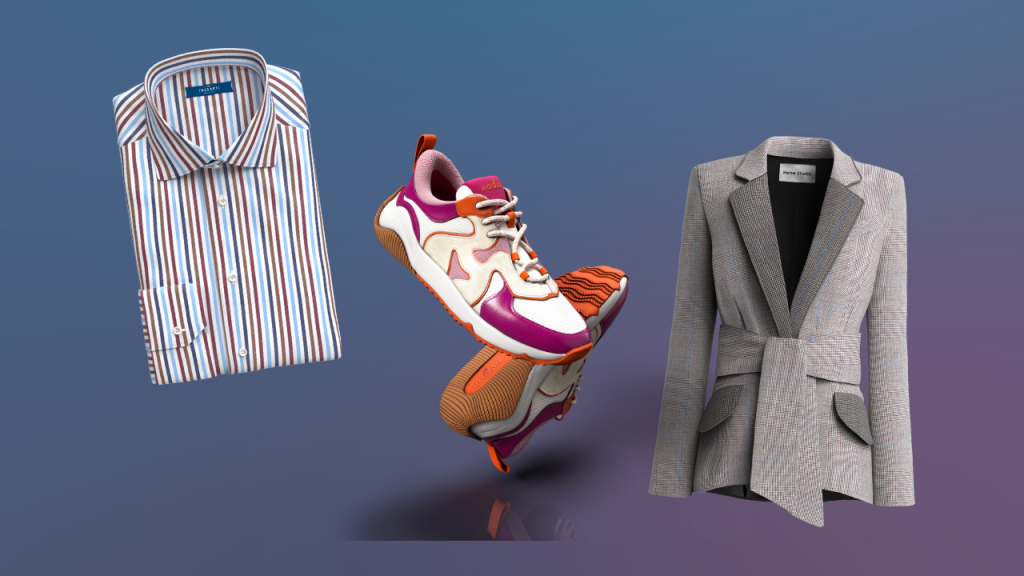
Redefining Retail: Next-Level Shopping With 3D Clothing Catalogs

The retail industry is undergoing a dramatic transformation, with the emergence of 3D clothing catalogs revolutionizing the shopping experience. Imagine being able to browse through a virtual wardrobe, where you can visualize how a garment fits and drapes on your body, all from the comfort of your home.  The traditional brick-and-mortar shopping is taking a backseat as retailers dive into the world of virtual reality, offering customers an immersive and personalized shopping experience. This advancement in technology is not just a game-changer – it’s a retail renaissance. In this article, we’ll delve into the fascinating realm of 3D clothing catalogs and explore how they are redefining the way we shop for fashion. From the convenience of virtual try-ons to the environmental impact of reducing stock production, personalized shopping with 3D clothing is reshaping the retail landscape as we know it. The Power of Personalization in Retail When it comes to retail, product customization is the key to capturing the hearts and wallets of modern consumers. People crave unique experiences and products that resonate with their individual tastes, and the fashion industry is no exception. 3D in fashion offers a level of immersion and personalization that was previously unimaginable. Imagine being able to select your body type, skin tone, and even height to visualize how a particular outfit would look on you. The ability to personalize the shopping experience to this level creates an emotional connection between the customer and the product. It’s no longer just about browsing through static images of models; it’s about virtually stepping into the clothing and making it your own. 3D product visualization in retail gives consumers a sense of empowerment, allowing them to confidently make purchase decisions and reducing the likelihood of returning ill-fitting items. With 3D clothing models, static images become obsolete, making way for a new era of immersive and tailored fashion experiences. Introducing 3D Clothing Catalogs Traditional flat images and generic product descriptions are left in the dust as 3D models take center stage. It’s time to turn pictures into 3D models! This groundbreaking technology allows shoppers to interact with clothing in a way that was previously unimaginable. From zooming in to examine fabric textures to viewing items from every angle, the immersive experience offered by 3D clothing is unparalleled. With 3D clothing, consumers can explore the intricate details of each garment, gaining a comprehensive understanding of the product before making a purchase. This level of engagement bridges the gap between online and in-store shopping, offering a dynamic and interactive experience that transcends the limitations of traditional e-commerce platforms. This shift towards 3D clothing catalogs represents a fundamental evolution in the way we shop for clothing. The Power of Virtual Try-On Experiences in The Fashion Field What if you could try on countless outfits without the hassle of fitting rooms or the frustration of visiting multiple stores? Virtual try-on experiences powered by 3D clothing models are making this a reality. By leveraging Augmented Reality and advanced 3D modeling, retailers can provide customers with a lifelike fitting experience through their smartphones or computer screens. Virtual try-on clothes experiences enable shoppers to see how garments look on their actual bodies, creating a level of confidence and trust in their purchasing decisions. This not only enhances the convenience of shopping but also minimizes the uncertainty often associated with online fashion purchases. With virtual try-on experiences, you can experiment with different styles, sizes, and colors, empowering you to curate a wardrobe that truly reflects your personal style. The interactive nature of virtual try-on experiences breathes new life into the fashion shopping journey, fostering a deeper connection between the consumer and the brand. It’s a personalized fitting room right in the palm of your hand, redefining the way we explore, select, and ultimately, purchase clothing. The Importance of Custom Tailoring and Bespoke Options 3D clothing design software paves the way for an era of custom tailoring and bespoke options that cater to the individual preferences of consumers. Through advanced 3D Configurator software, shoppers can customize garments to their exact measurements, select fabric options, and even personalize design elements, creating truly unique pieces that speak to their sense of style. This level of customization not only meets the demand for individuality but also aligns with the growing trend of conscious consumerism. By offering custom tailoring and bespoke options, retailers are promoting a mindset of quality over quantity, allowing shoppers to invest in pieces that are made specifically for them, reducing the likelihood of impulse purchases and contributing to a more sustainable approach to fashion consumption. The ability to create personalized, made-to-measure clothing experiences empowers consumers to move away from the “fast fashion” mentality and towards a more considered and intentional approach to building their wardrobes. 3D clothing catalogs serve as a gateway to a world where each garment is a reflection of its wearer, emphasizing the significance of individual expression within the realm of fashion. How 3D Clothing Boosts Customer Engagement and Loyalty In a market where competition is fierce, cultivating lasting relationships with customers is paramount. 3D models in fashion offer a unique opportunity for retailers to engage with their audience in a meaningful and immersive way.  When customers can visualize and engage with products in a personalized manner, it creates a memorable and enjoyable shopping journey. This heightened level of engagement goes beyond traditional online shopping, elevating the connection between consumers and brands. It’s no longer just about making a transaction; it’s about creating an experience that resonates with the customer, leaving a lasting impression that extends far beyond a single purchase. Furthermore, the data and insights gathered from 3D clothing interactions enable retailers to understand their customers’ preferences and behavior better. By leveraging this information, brands can tailor their offerings and marketing strategies to align with the desires of their audience, further strengthening their position in the market and solidifying customer loyalty. Potential Impact on Sustainability in The Fashion Industry The fashion industry has long grappled with sustainability challenges, from excessive waste to carbon

Read More >
3D visualization for ecommerce
3D Shopping

How 3D Tech Boosts Sustainable Product Design

In recent years, sustainability has become a crucial focus for businesses across industries. Consumers are demanding products that are not only functional and aesthetically pleasing but also eco-friendly.  3D technology has emerged as a game-changer in sustainable product design. By creating digital renderings rather than physical samples, 3D can slash waste and carbon emissions across design, manufacturing, and shipping.  Talking about eCommerce, digital collections and virtual try-on provide shoppers with more sustainable alternatives to returns and overproduction. Let’s explore all the pluses of implementing a 3D-centric approach in your company.  Showcasing Your Products in 3D While Saving Costs 3D visualization provides significant benefits for eCommerce brands compared to traditional product photography. Creating a photorealistic 3D model of a garment or accessory is often cheaper than organising high-quality photoshoots.  With 3D brands can cut down on these expenses after the initial investment. Once the 3D models are made, they can be reused and reconfigured for different colours and variations rather than reshooting. Automation and photogrammetry also speed up the 3D process compared to the time-intensive photoshoots required each season or for new styles. For small businesses and startups, the lower cost and scalability of 3D are very appealing and allow them to invest more resources into the product design and quality itself. Overall, 3D visualisation empowers brands to achieve high-quality, consistent product imagery at a fraction of the cost of traditional photoshoots. The initial investment pays dividends over the long run with reuse potential for years to come. On the other side, for small companies, 3D represents a way to visually compete with big brands without breaking the bank. Turn Your Catalog into 3D with Zakeke  One of the most promising aspects of 3D technology is the possibility of creating a collection without the need to produce physical samples just for visual marketing purposes. The 3D model is the sample and does not need to be shipped back and forth for approvals and photography. All collaboration can happen digitally, enabling faster design iterations before production. This not only reduces material waste but also saves time and resources. Zakeke allows you to easily turn images into 3D models (also starting from high poly 3D files or physical items) and create your 3D catalog to offer an immersive, interactive experience that brings your online collections to life. It allows your customers to explore your products in a virtual environment, providing a detailed, 360 view of each product. This technology not only enhances the shopping experience but also provides valuable insights into your customers’ preferences and behaviours.  It’s a cost-effective solution that can significantly boost your online sales and improve customer engagement. Streamline Operations While Reducing Returns Thanks to interactive 3D product visualization, online shoppers can better evaluate the product, assess its fit, look, and feel before adding it to the cart. This leads to more informed buying decisions and fewer returns. Traditional 2D product photos only provide a limited perspective of how an item will actually look. But with 3D models, customers can see any details from all angles.  Retailers that have implemented 3D imagery in their eCommerce stores noticed a significant drop in return rates. Studies have shown they can be lowered by anywhere from 30-40% by using 3D visualization versus standard photos. Such reduction benefits both the customer and the brand. Customers can shop with more confidence knowing the item will fit properly. This saves them the time and hassle of returning and exchanging items. For retailers, fewer returns mean reduced shipping and operational costs, fewer restocked items and increased inventory turnover. The combined impact is higher sales conversion and improved profit margins. Lower Environmental Impact Thanks to Virtual Try-On Transitioning to 3D product visualization is a clear opportunity for eCommerce players to elevate the online shopping experience, and boost efficiency and sustainability. The rich visual information empowers customers to make better purchase decisions, resulting in fewer returns. Reducing returns not only decreases emissions but also cuts down on waste. Returned inventory often ends up in landfills, whereas 3D visualization helps keep unneeded shipments from being sent out in the first place. An important role in developing a circular fashion economy is played by virtual try-on. This immersive technology uses 3D models and Augmented Reality to allow online shoppers to see how clothes and accessories will look on them before purchasing.  Rather than relying on static product photos, virtual try-on shows items on a 3D model that simulates the customer’s body shape and proportions. Shoppers can choose from different model types, while the 3D model mimics the movements in real-time for an ultra-realistic visualization. According to Zurich University of the Arts research, virtual try-on leads to a 40-60% reduction in returns for online fashion retailers and, consequently, to a lower environmental impact. The substantial carbon emissions associated with shipping products back and forth (often ending up in landfills) are also avoided.  Overall, virtual try-on technology is revolutionising the online fashion shopping experience. It provides the fit visualisation customers need to feel confident purchasing remotely. This improves customer satisfaction while cutting costs and waste for retailers. Conclusion 3D technology on eCommerce provides numerous benefits for both businesses and consumers. By utilising 3D visualization, virtual try-on, and digital inventory, fashion brands can significantly reduce returns, lower environmental impact, and improve the overall customer experience.  With virtual try-on, customers can see how the decided product will look on their body before purchase. This minimises the likelihood of returns and the associated costs and carbon emissions from shipping. Digital inventory also abates waste and emissions by removing the need to produce physical samples.  For businesses, 3D technology streamlines operations, cuts costs, and provides data insights not available with traditional photography. The ability to digitally showcase products allows for limitless configurations and visualizations. While the adoption of 3D is still in the early stages, innovative fashion brands have already demonstrated their potential for a more sustainable business model. As the technology matures, 3D is poised to become a game-changer to stay competitive in the fashion

Read More >
how to turn pictures into 3d models
3D Shopping

How to Turn Pictures into 3D Models? E-commerce Guide

It’s no secret that e-commerce is an ever-changing industry. The latest news? 2D images aren’t enough anymore. 3D model product viewers are slowly transforming online retail.  The time is nigh for brands to innovate and gain an edge over the competition that fails to keep up with the trend. A 3D collection to showcase the product collection helps customers explore and evaluate the goods. The option is superior to traditional 2D image browsing, encouraging brands to turn pictures into 3d models. Let’s dive deep and explore how to turn your flat 2D pictures into hyper-realistic 3D models! An evolving market: How to meet growing customers’ expectations? An evolving e-commerce market calls for new methods to meet or even exceed customer expectations. These days, shoppers have a plethora of choices where to do their shopping.  In addition, different brands try their best to implement new features to improve the customer experience. Failure to meet growing expectations hinders success and sustainability. On the other hand, meeting customer expectations leads to a better brand reputation and new customers. Happy customers help brands thrive even in competitive markets. The impact of 3D in e-commerce 3D product presentation has changed the visualization in e-commerce. The “revolution” is one of the most recent examples of how certain brands invest in innovation to keep up with the market demands and customer expectations. Traditional photography struggles to capture different product angles . Or rather, product pages have to have a series of photos of the same product, which can take a while to go through for shoppers. Thanks to new software and in-depth technologies, designers can create captivating product models. And not necessarily at high prices. Consumers browsing a product get a complete picture by rotating the model. An in-depth dive minimizes doubts and uncertainties from a shopper’s point of view. 3D models also enable creative freedom. Presenters have more flexibility to showcase their products. It’s easier to experiment with various lighting effects and environments. Customers are looking for immersive and new experiences and 3D can boost results for merchants. Why your store has to switch from photos to 3D models Taking a leap and implementing a 3D modeling feature is a significant challenge. Whether it’s about 3D furniture , 3D shoes, or 3D glasses, 3D is always the way. The task can seem daunting. However, with the rise of new modern solutions in the SaaS and other markets, the challenge ahead is not that intimidating. Besides, there are multiple benefits that brands can expect after the transformation : Some customers might need time to adjust after switching to 3D models from photos. However, once they realize how much an improvement the change is, they will not look back. Web-based augmented reality development lets site visitors browse 3D models directly on the website. There’s no need to download a third-party application or the like. The integration is seamless and user-friendly. An immersive and interactive shopping experience encourages customers to engage with the brand and advertise it to their friends and family. Fully exploring products from different angles leaves less room for hesitation and instills confidence while shopping.  Moreover, fewer shoppers have to worry about returning items because they did not meet their expectations. When you explore a product from different perspectives and inspect it, you are less likely to end up with a poor purchase. Positive overall experience and high customer engagement naturally translate into higher conversion rates. Combining 3D product modeling presentations with other modern e-commerce shopping features, brands benefit from increased conversions. Happy customers are expected to return. A single purchase is profitable for a brand, but businesses want to build long relationships with their shoppers. Repeat purchases are one of the metrics taken into account when talking about customer lifetime value. One of the best ways to encourage repeat purchases is by implementing modern shopping features. 3D product models are the perfect example of an innovative approach to improving the shopper experience. Cost-effectiveness is one of the more underrated aspects of the 2D image to 3D model switch. 3D models reduce returns and expenses . Besides, technology is bound to become more accessible. The cost of creating and implementing new 3D product models will drop and attract even more attention from brands. How to turn pictures into 3D models? As one would expect, there are dedicated tools to turn pictures into 3D models. Specific software to turn pictures into 3D models comes with different features depending on what brands are looking for. Some 3D modeling programs requires high-quality content images to transform, and the result may not be what one wants at first. In addition, the concept is still relatively new, and the latest tools are known to have steep learning curves. Some brands choose to go with CAD software as an alternative. It still works, though utilizing CAD without sufficient 3D modeling knowledge is more or less impossible.  Hiring a dedicated professional 3D artist makes sense (but it’s particularly expensive), particularly if a business believes that the 3D printing model should be one of the priorities to optimize the shopper experience. Finally, there’s the option to collaborate with a 3D printing company that can also model your products in 3D. Step-by-step process to create 3D models from pictures Creating 3D models from pictures involves several key steps. First, you need to capture or select appropriate images of the object from multiple angles. These images are then processed using specialized software that employs techniques like photogrammetry or AI-based image processing.  The software analyzes the images to create a point cloud, which is a set of data points in 3D space. From this point cloud, a mesh is generated, forming the basic structure of the 3D model. Finally, textures from the original images are applied to the model to give it a realistic appearance.  This process can vary in complexity depending on the software and techniques used, but it generally follows these basic steps. Optimizing your images to generate 3D files The quality of your

Read More >
3D product preview
3D Shopping

Building Trust Online: 3D Product Preview to Reduce Return Rates

Gaining the trust of consumers is paramount in the ever-changing landscape of online retail. Today, customers desire a shopping experience that is closely related to the tactile nature of in-store shopping, where items can be seen, touched, and felt before they are purchased. In order to meet this demand and improve the online shopping experience, businesses are increasingly implementing technologies such as 3D product preview, which has the potential to boost product confidence and reduce return rates, giving customers a real feel of what they’re purchasing. In this article, we’ll explore the benefits and implementation of 3D product previews in various industries, as well as their advantages. What is a 3D Product Preview? 3D product previews, as the name implies, are three-dimensional models of products that allow customers to interact with them through a realistic 3D visualization. They offer an immersive experience that goes beyond static images and simple videos. 3D rendering and 3D modeling techniques enable businesses to create lifelike product previews that can be rotated, zoomed in on, and examined from different perspectives by consumers. In recent years, 3D product preview technology has revolutionized online retail by bringing together digital and physical shopping experiences. Advantages of 3D Product Visualization Why 3D product previews can improve e-commerce Shopping Experience? Implementation in Various Industries 3D eCommerce has found application across a variety of industries, including fashion, furniture, automotive, jewelry, and many others. Fashion In the fashion industry, 3D product previews are transforming the way customers shop for clothing and accessories. Shoppers can examine every detail, such as fabric texture, stitching, and fit, providing a more realistic experience. Furniture When it comes to 3D furniture and Augmented Reality, customers have the opportunity to virtually arrange and visualize how items will appear in their homes. This helps in making informed decisions and reduces the risk of purchasing furniture that doesn’t quite fit or match the décor. Automotive Companies in the automotive industry are utilizing 3D previews to enable potential buyers to view vehicles in detail, including their exterior as well as their interiors, making it easier for customers to make a purchase decision. Jewelry It is becoming increasingly common for jewelry companies to offer 3D previews to customers so that they can better appreciate the intricate details of their products, such as gemstone settings and design elements. Tools and Platforms Supporting 3D Product Preview Features Implementing 3D product previews can be a complex endeavor, but there are tools and platforms available to simplify the process. One such tool is Zakeke, which offers a user-friendly solution for creating interactive and personalized shopping experiences with live product customization and high-quality 3D previews and visualization. Zakeke revolutionizes e-commerce by offering customers the ability to tailor products to their taste with advanced 3D, 2D, and Augmented Reality (AR) tools. From clothing and jewelry to furniture and more, personalization is made easy and interactive. Zakeke is a single platform that encompasses a complete suite of tools, from personalization to Virtual Try-On. It’s the ally you’ve been waiting for to enhance your product showcase and boost your e-commerce performance. With Zakeke, businesses can expect a significant uptick in sales and customer satisfaction, coupled with a decrease in return rates. It’s the modern solution for an engaging, confident online shopping experience. Conclusion Today, 3D previews have emerged as a transformative tool in online retail, offering multiple advantages, from boosting product confidence to reducing return rates. This technology is being embraced across various industries and is accessible to businesses of all sizes, making it a powerful asset in building trust with online shoppers and improving the overall e-commerce experience. Your FAQs Answered Implementing 3D product previews can vary in price depending on several factors, including the complexity of the product, the technology used, as well as the platform used. While there is an initial investment, the potential for increased sales and reduced return rates often outweighs the costs. 3D previews are interactive and allow users to manipulate and explore the product in a three-dimensional space. Alternatively, 360-degree product views provide a static view of a panoramic scene but lack the interactive features of 3D previews. Yes, small businesses can benefit from 3D previews. They provide an opportunity for smaller retailers to compete with larger counterparts by offering an enhanced online shopping experience. Several platforms and tools, including Zakeke, cater to businesses of all sizes. VEED VEED is an online video editing platform that empowers creators to transform their videos with ease. With a team of skilled developers and video editing enthusiasts, VEED is revolutionizing the way people edit and enhance their video content. Through a user-friendly interface and a comprehensive suite of editing tools, VEED enables users to add captivating effects, captions, subtitles, and images to their videos effortlessly.  

Read More >